Your MAL is the single-source-of truth logging all pertinent activity for your character on the server. Everything you gain (xp, gold, equipment) and spend on your character is logged here, so that we can make sure that we have a fair and even playing ground for everyone.
Once you’ve created your first character sheet, you should add the character in your MAL. The first row of each character should be a “character creation” session, which logs the character’s initial XP and GP (depending on whether they start at level 3 or level 5), and starting equipment.
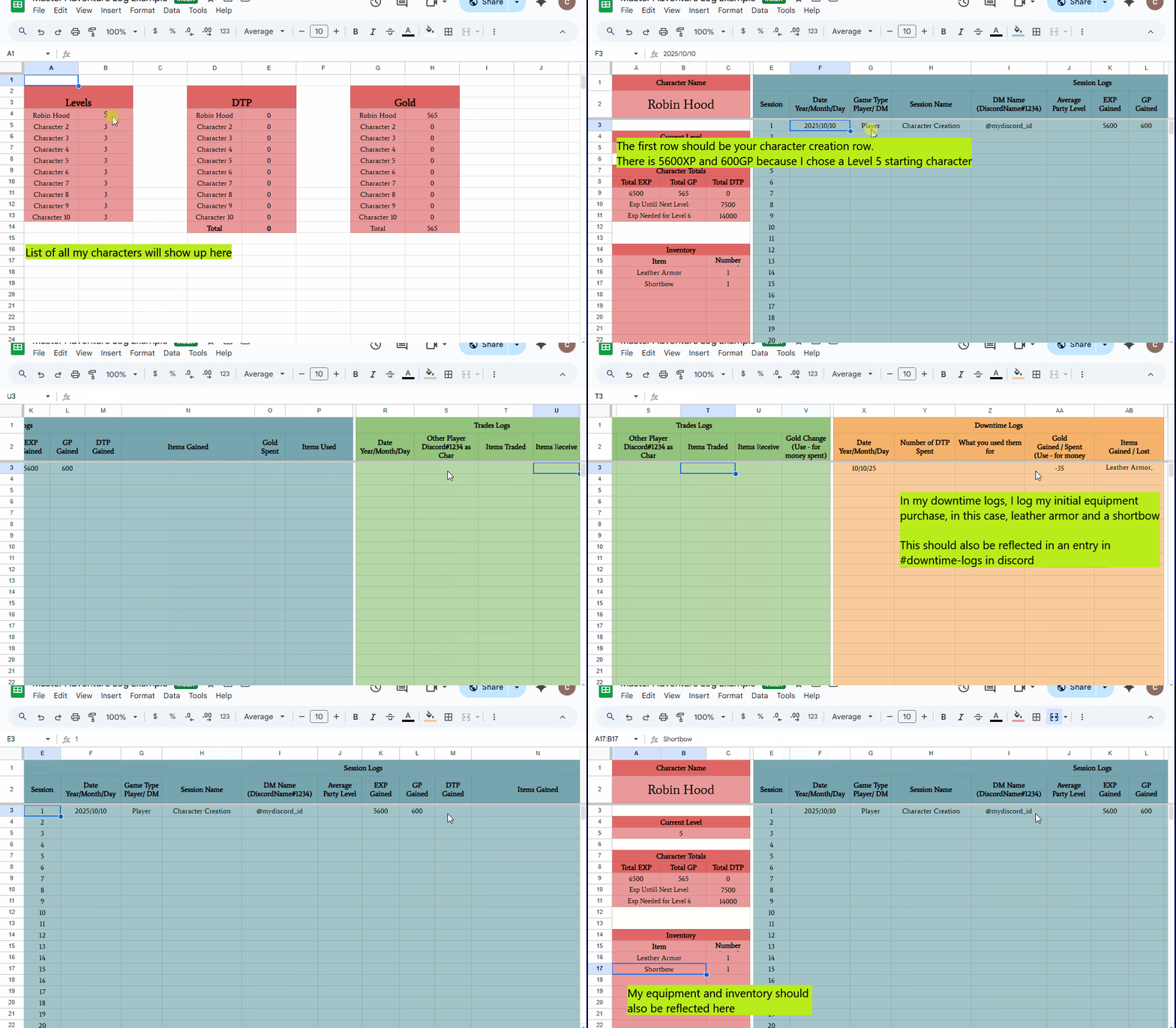

Here is an example of the MAL with a Level 5 and a Level 3 character
Your character comes with initial gold and equipment based on the rules of the PHB. You can purchase everything under the Equipment Tab of the Allowed Content (some conditions may apply - please read the item details). In order to do so, you will need to make an entry in both your MAL and declare the transaction in #downtime-logs.
See the next page for examples of how to log an equipment purchase.
 Hawthorne Guild